
Script: TypeScript Texture Cloud Asset Example
- Type
 typescript
- Project
- Texture Cloud Assets
- Author
- matas
- Date Created
- Jan 31, 2024, 11:03:33 AM
- Last Edit Date
- Feb 1, 2024, 10:58:14 AM
Project Information
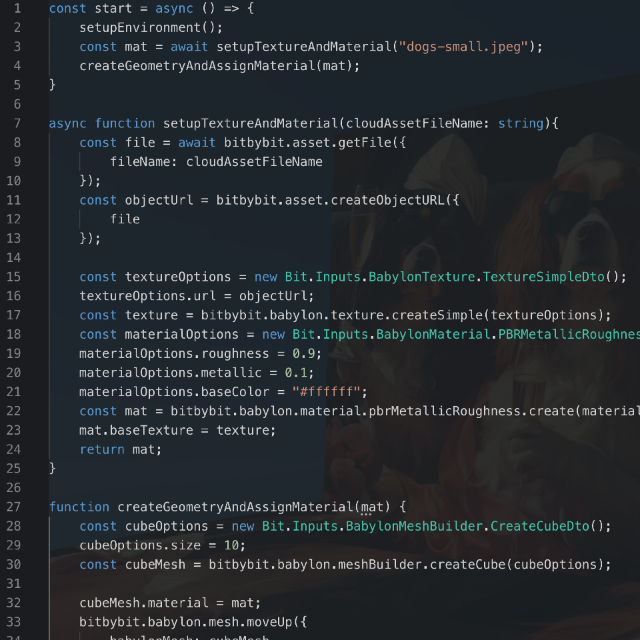
In this project we demonstrate how to load Cloud image assets and create BabylonJS texture from them. Then we apply texture to material and add material on the mesh.
Script Code
const start = async () => {
    setupEnvironment();
    const mat = await setupTextureAndMaterial("dogs-small.jpeg");
    createGeometryAndAssignMaterial(mat);
}

async function setupTextureAndMaterial(cloudAssetFileName: string) {
    const file = await bitbybit.asset.getFile({
        fileName: cloudAssetFileName
    });
    const objectUrl = bitbybit.asset.createObjectURL({
        file
    });

    const textureOptions = new Bit.Inputs.BabylonTexture.TextureSimpleDto();
    textureOptions.url = objectUrl;
    const texture = bitbybit.babylon.texture.createSimple(textureOptions);
    const materialOptions = new Bit.Inputs.BabylonMaterial.PBRMetallicRoughnessDto();
    materialOptions.roughness = 0.9;
    materialOptions.metallic = 0.1;
    materialOptions.baseColor = "#ffffff";
    const mat = bitbybit.babylon.material.pbrMetallicRoughness.create(materialOptions);
    mat.baseTexture = texture;
    return mat;
}

function createGeometryAndAssignMaterial(mat: BABYLON.PBRMetallicRoughnessMaterial) {
    const cubeOptions = new Bit.Inputs.BabylonMeshBuilder.CreateCubeDto();
    cubeOptions.size = 10;
    const cubeMesh = bitbybit.babylon.meshBuilder.createCube(cubeOptions);

    cubeMesh.material = mat;
    bitbybit.babylon.mesh.moveUp({
        babylonMesh: cubeMesh,
        distance: 7,
    })
    const squarePlaneOptions = new Bit.Inputs.BabylonMeshBuilder.CreateSquarePlaneDto();
    squarePlaneOptions.size = 40;
    const planeSquareMesh = bitbybit.babylon.meshBuilder.createSquarePlane(squarePlaneOptions);
    bitbybit.babylon.mesh.pitch({
        babylonMesh: planeSquareMesh,
        rotate: 90
    })
    planeSquareMesh.material = mat;
}

function setupEnvironment() {
    const skyboxOptions = new Bit.Inputs.BabylonScene.SkyboxDto();
    bitbybit.babylon.scene.enableSkybox(skyboxOptions);
    const dirLightOptions = new Bit.Inputs.BabylonScene.DirectionalLightDto();
    dirLightOptions.intensity = 5;
    bitbybit.babylon.scene.drawDirectionalLight(dirLightOptions);
}

start();
Plans & Pricing
Choose Your Plan
Editor plans for 3D development, API keys for server-side CAD algorithms
Editor Plans
Cloud storage, private projects & 3D tools for Bitbybit editors
FREE
€0/forever- 100 cloud projects
- 10 private projects
- 1 GB cloud storage
- 25 MB per file
- 10 files per project
- 10 scripts per project
- Free 3D models
Get Started
SILVER
€12/month- Unlimited* private projects
- 25 GB cloud storage
- 100 MB per file
- 100 files per project
- 200 scripts per project
- Silver community and 3D models
- STEP → GLTF converter
- 3D Inspector (GLTF / GLB / STL)
Choose Silver
Most Popular
GOLD
€34/month- The Designer: parametric CAD by clicking
- Unlimited* private projects
- 100 GB cloud storage
- 250 MB per file
- 500 files per project
- Unlimited* scripts per project
- Silver and Gold community and 3D models
- STEP → GLTF converter
- 3D Inspector (GLTF / GLB / STL)
- Priority support
Choose Gold
* "Unlimited" means high limits that most users won't reach. Compare the plans
API Key Plans
Run CAD algorithms on managed cloud servers from your own backend applications
B2B
ENTERPRISE
Custom pricingCustom software development, dedicated servers & CAD automation at scale.
CAD Automation & Software
- Custom software development
- Cloud CAD automation pipelines
- 3D configurators (STEP & GLTF)
- Batch export jobs
- Custom algorithms & deployment
Infrastructure & Support
- Custom compute allocation
- Dedicated / VPS server tenants
- Long-running computation jobs
- Custom upload limits & overage
- SLA & premium support