
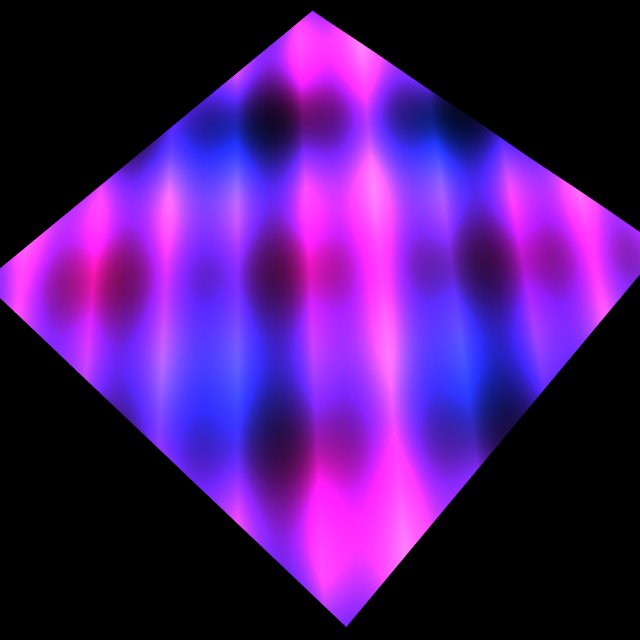
Script: AI Neon Water
- Type
 rete
rete- Author
- bitbybit
- Date Created
- Feb 25, 2025, 8:32:01 PM
- Last Edit Date
- Feb 25, 2025, 8:39:05 PM
Project Information
This project creates Neon Water in Rete TypeScript editor with the help of Grok AI
Script Code
{
  "id": "rete-v2-json",
  "nodes": {
    "ad2a4ac3cd2e4d20": {
      "id": "ad2a4ac3cd2e4d20",
      "name": "bitbybit.code.typeScriptEditor",
      "customName": "typescript editor",
      "async": true,
      "drawable": true,
      "data": {
        "genericNodeData": {
          "hide": false,
          "oneOnOne": false,
          "flatten": 0,
          "forceExecution": false
        },
        "options": {
          "width": 923,
          "height": 595
        },
        "code": {
          "code": "// DO NOT REMOVE THIS FUNCTION\nconst startad2a4ac3cd2e4d20 = async (inputs: any, index: number) => {\n    // ADD YOUR CODE HERE\n    // First, register the shader with BabylonJS\n    BABYLON.Effect.ShadersStore[\"neonWaterVertexShader\"] = `\n    precision highp float;\n    \n    // Attributes\n    attribute vec3 position;\n    attribute vec2 uv;\n    \n    // Uniforms\n    uniform mat4 worldViewProjection;\n    uniform float time;\n    \n    // Varyings\n    varying vec2 vUV;\n    varying float vWave;\n    \n    void main(void) {\n        // Create wave effect based on position and time\n        float waveHeight = sin(position.x * 2.0 + time) * cos(position.y * 2.0 + time) * 0.1;\n        vec3 wavedPosition = position + vec3(0.0, waveHeight, 0.0);\n        \n        gl_Position = worldViewProjection * vec4(wavedPosition, 1.0);\n        vUV = uv;\n        vWave = waveHeight;\n    }\n`;\n\n    BABYLON.Effect.ShadersStore[\"neonWaterFragmentShader\"] = `\n    precision highp float;\n    \n    // Varyings\n    varying vec2 vUV;\n    varying float vWave;\n    \n    // Uniforms\n    uniform float time;\n    \n    void main(void) {\n        // Create waving neon colors\n        vec3 baseColor = vec3(0.0);\n        \n        // Blue wave\n        float blueWave = sin(vUV.x * 10.0 + time * 2.0) * cos(vUV.y * 10.0 + time) * 0.5 + 0.5;\n        baseColor += vec3(0.1, 0.4, 1.0) * blueWave;\n        \n        // Pink wave\n        float pinkWave = sin(vUV.x * 8.0 + time * 1.5) * cos(vUV.y * 8.0 + time * 1.2) * 0.5 + 0.5;\n        baseColor += vec3(1.0, 0.2, 0.8) * pinkWave;\n        \n        // Purple wave\n        float purpleWave = sin(vUV.x * 12.0 + time * 1.8) * cos(vUV.y * 12.0 + time * 0.8) * 0.5 + 0.5;\n        baseColor += vec3(0.6, 0.2, 1.0) * purpleWave;\n        \n        // Black base with wave influence\n        float blackWave = abs(sin(vUV.x * 15.0 + vUV.y * 15.0 + time)) * (vWave + 0.5);\n        \n        // Mix colors and add glow effect\n        vec3 finalColor = mix(baseColor, vec3(0.0), blackWave * 0.7);\n        finalColor = pow(finalColor, vec3(1.5)); // Increase contrast for neon effect\n        \n        gl_FragColor = vec4(finalColor, 1.0);\n    }\n`;\n\n    // Function to create and apply the material\n    function createNeonWaterMaterial(scene) {\n        // Create the shader material\n        const neonWaterMaterial = new BABYLON.ShaderMaterial(\n            \"neonWaterShader\",\n            scene,\n            {\n                vertex: \"neonWater\",\n                fragment: \"neonWater\"\n            },\n            {\n                attributes: [\"position\", \"uv\"],\n                uniforms: [\"worldViewProjection\", \"time\"]\n            }\n        );\n\n        // Animate the material\n        let time = 0;\n        scene.registerBeforeRender(() => {\n            time += scene.getEngine().getDeltaTime() * 0.001;\n            neonWaterMaterial.setFloat(\"time\", time);\n        });\n\n        return neonWaterMaterial;\n    }\n\n    const scene = bitbybit.babylon.scene.getScene();\n    return createNeonWaterMaterial(scene);\n}"
        }
      },
      "inputs": {},
      "position": [
        -1420.1026915329649,
        419.10653314793404
      ]
    },
    "3daba489ed2bd2da": {
      "id": "3daba489ed2bd2da",
      "name": "bitbybit.babylon.scene.backgroundColour",
      "customName": "colour",
      "async": false,
      "drawable": false,
      "data": {
        "genericNodeData": {
          "hide": false,
          "oneOnOne": false,
          "flatten": 0,
          "forceExecution": false
        },
        "colour": "#000000"
      },
      "inputs": {},
      "position": [
        -1843.9413858646092,
        1044.4254879296152
      ]
    },
    "92b1a025d603a06a": {
      "id": "92b1a025d603a06a",
      "name": "bitbybit.babylon.meshBuilder.createGround",
      "customName": "create ground",
      "async": false,
      "drawable": true,
      "data": {
        "genericNodeData": {
          "hide": false,
          "oneOnOne": false,
          "flatten": 0,
          "forceExecution": false
        },
        "width": 10,
        "height": 10,
        "subdivisionsX": 64,
        "subdivisionsY": 64,
        "sideOrientation": "doubleside",
        "enableShadows": true
      },
      "inputs": {},
      "position": [
        -768.8578949635851,
        1457.6796064962273
      ]
    },
    "29ffbbc2d5d9b7b3": {
      "id": "29ffbbc2d5d9b7b3",
      "name": "bitbybit.babylon.mesh.setMaterial",
      "customName": "material",
      "async": false,
      "drawable": false,
      "data": {
        "genericNodeData": {
          "hide": false,
          "oneOnOne": false,
          "flatten": 0,
          "forceExecution": false
        },
        "includeChildren": false
      },
      "inputs": {
        "babylonMesh": {
          "connections": [
            {
              "node": "92b1a025d603a06a",
              "output": "result",
              "data": {}
            }
          ]
        },
        "material": {
          "connections": [
            {
              "node": "ad2a4ac3cd2e4d20",
              "output": "result",
              "data": {}
            }
          ]
        }
      },
      "position": [
        -126.56185409061351,
        1053.4817299803985
      ]
    }
  }
}
Plans & Pricing
Choose Your Plan
Editor plans for 3D development, API keys for server-side CAD algorithms
Editor Plans
Cloud storage, private projects & 3D tools for Bitbybit editors
FREE
€0/forever- 100 cloud projects
- 10 private projects
- 1 GB cloud storage
- 25 MB per file
- 10 files per project
- 10 scripts per project
- Free 3D models
Get Started
SILVER
€12/month- Unlimited* private projects
- 25 GB cloud storage
- 100 MB per file
- 100 files per project
- 200 scripts per project
- Silver community and 3D models
- STEP → GLTF converter
- 3D Inspector (GLTF / GLB / STL)
Choose Silver
Most Popular
GOLD
€34/month- The Designer: parametric CAD by clicking
- Unlimited* private projects
- 100 GB cloud storage
- 250 MB per file
- 500 files per project
- Unlimited* scripts per project
- Silver and Gold community and 3D models
- STEP → GLTF converter
- 3D Inspector (GLTF / GLB / STL)
- Priority support
Choose Gold
* "Unlimited" means high limits that most users won't reach. Compare the plans
API Key Plans
Run CAD algorithms on managed cloud servers from your own backend applications
B2B
ENTERPRISE
Custom pricingCustom software development, dedicated servers & CAD automation at scale.
CAD Automation & Software
- Custom software development
- Cloud CAD automation pipelines
- 3D configurators (STEP & GLTF)
- Batch export jobs
- Custom algorithms & deployment
Infrastructure & Support
- Custom compute allocation
- Dedicated / VPS server tenants
- Long-running computation jobs
- Custom upload limits & overage
- SLA & premium support